RovantraCountdown

Everyone knows what's next.

Available now · free download

The companion to Rovantra Timing on your team's screens and devices. Build the weekend's schedule once, or import it from Excel, and control it from one place. Every iPad, TV and phone counts down to the next session, briefing or call, and with Hosted, every change reaches everyone in the team live over the internet, all weekend.

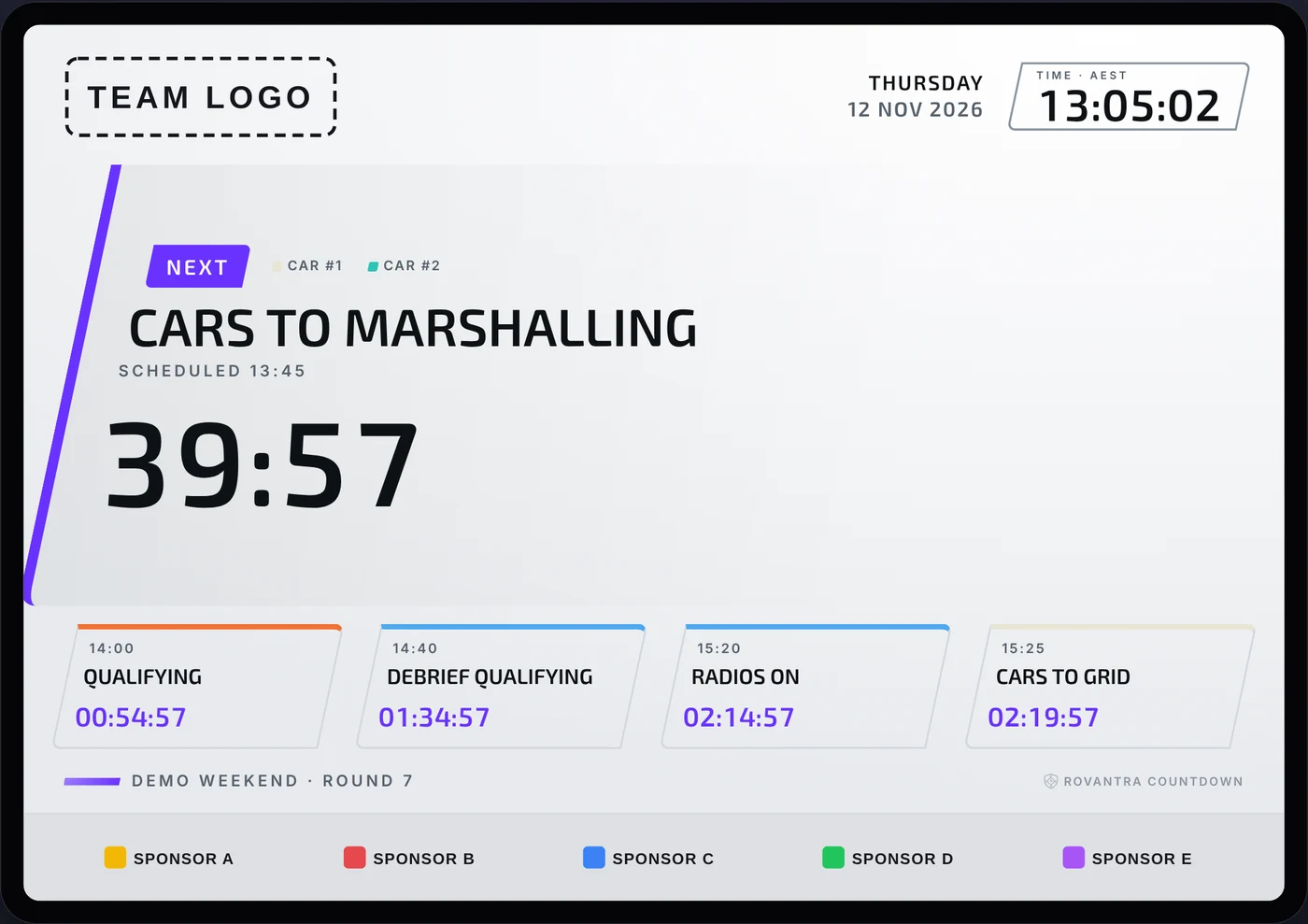
A Rovantra Countdown board on a tablet in the light theme: next is Cars to Marshalling in 39 minutes 57, then Qualifying

A board for a fictional team. Your boards use your own schedule, and on Hosted your own logo, colours and font.

FreeDesktop app for Windows and Mac
Any screeniPad, TV, phone or laptop
Local timeRight in any time zone
OfflineWorks at the venue without internet
Try it

See the board before you download.

This is the real Countdown board running a demo race weekend. Switch between a TV, a tablet and a phone, try each layout and page, and jump to different moments in the weekend.

A fictional team and sponsors. Your boards use your own schedule, and on Hosted your own logo, colours and font. Open the demo on its own page

Who it's for

Any event that runs to a schedule.

Race teams and circuits

Sessions, briefings, driver calls and hospitality.

Event organisers

Stage times, speaker changeovers, catering and room changes.

Schools and clubs

Carnival events, heats and presentations.
01 · BOARDS

A countdown on every screen.

  • Big, clear countdowns that read from across the room: what's next, what follows, and what's on now with the time left
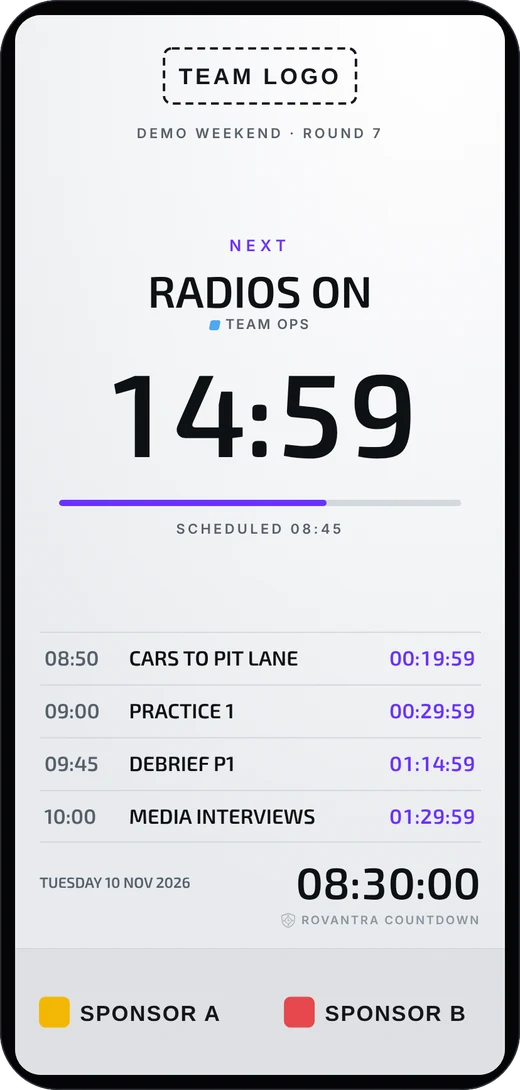
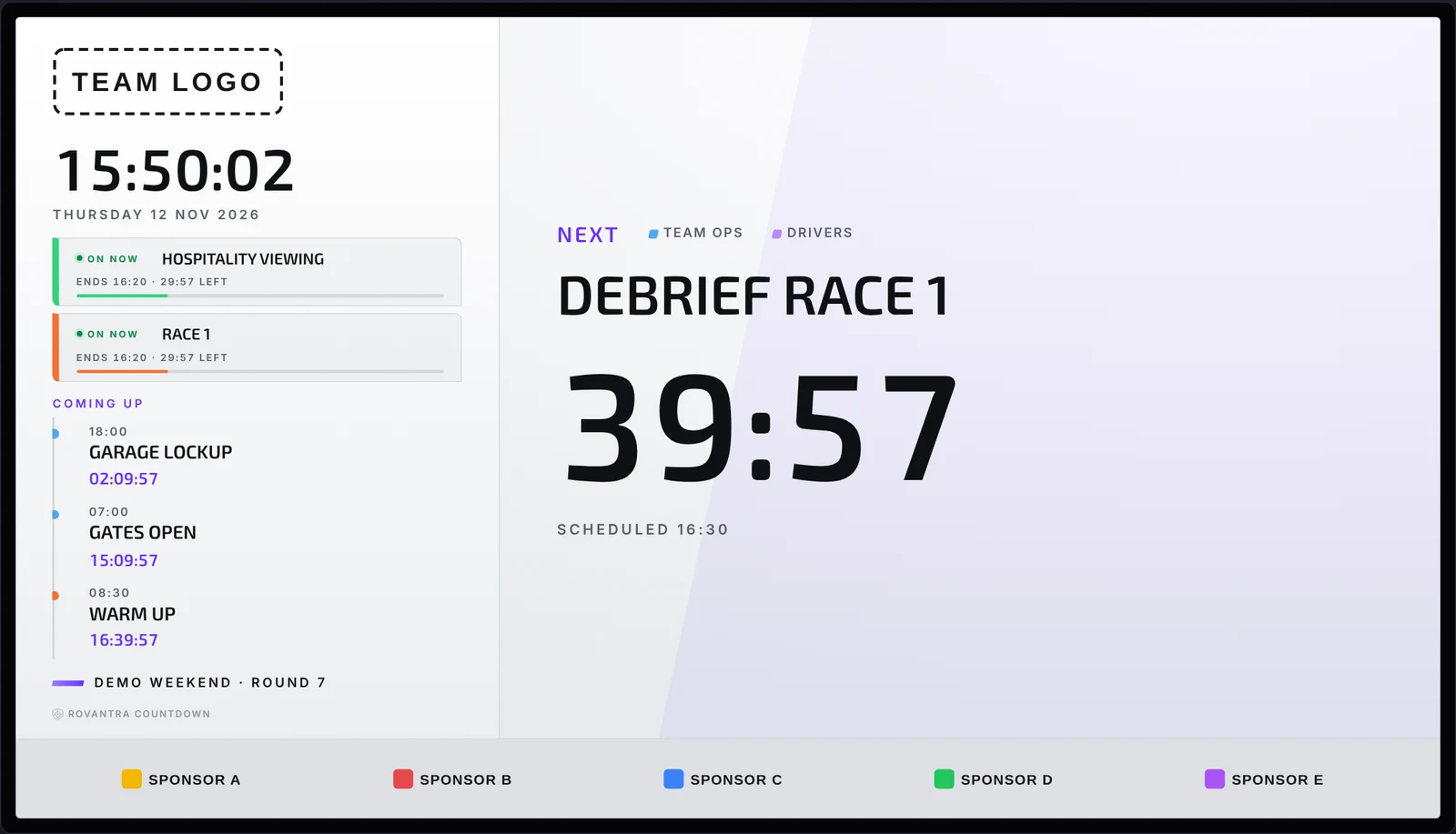
  • Three layouts: Pit Wall for iPads, Stack for TVs and phones, Split with a timeline
  • Clock, upcoming or full schedule pages, in dark or light
  • The board turns your colour in the last minutes before an item, and keeps counting if the Wi-Fi drops
Split layout on a TV in the light theme: Race 1 and Hospitality Viewing on now with time left, the coming-up timeline, and a large countdown to Debrief Race 1
02 · YOUR SCHEDULE

From your Excel sheet to the boards in a minute.

  • Fill in the free Excel event template and import it, then change anything in the app
  • Categories for sessions, cars, drivers, crew, media, hospitality, or anything your event needs
  • Running late? Move a session and its build-up items in one tap; changed times show what they were
Stack layout on a phone in the light theme, counting down to Radios On with the next four items listed
03 · WHO SEES WHAT

Each item shows only to the people it's for.

  • Every category is shown to Everyone, Password only, or Editor only, and any item can override it
  • Each event is wiped 24 hours after its last item; categories, views and branding stay for next time

Who sees it

  • Everyone: shown on every board.
  • Password only: shown only on a password-protected team link (Hosted).
  • Editor only: shown only in the app, never on a board.

Set it once per category, or change it for a single item.

04 · YOUR BRAND AND SPONSORS Hosted New

Your colours. Your sponsors. Every screen.

  • Your own logos, colours and font; paste your exact brand colours as hex codes
  • A sponsor band of up to 12 logos under the board, all in a row or one at a time
  • Set per view: band size, how long each logo shows, and white tiles so dark logos stay clear

Branding

Team name
Apex Racing
Logos
Colours
#2F80ED#1B4F9C
Team font
Exo 2
View you're editing
Garage TV
Sponsors 5 of 12
NORTHLINEKESTRELOAKWAYVOLTARIDGE CO.
Sponsors on this view
On · All in a row
Band height
Medium
White tiles
On

A fictional team and sponsors, as set in the app's Branding tab.

05 · ONLINE OR OFFLINE New

Works at the venue, with or without internet.

  • Hosted team link: your-team.rovantra.com.au/countdown, the same at every event
  • No internet? Boards run over your laptop's Wi-Fi or hotspot
  • Offline board for any device (Hosted): one file with your branding built in; load each event's Excel sheet at the venue, and it switches to the live link when it's back online

Three ways to run your boards

  1. Team link HostedAny screen, anywhere with internet.
  2. Laptop Wi-Fi or hotspot FreeScreens near your laptop, no internet needed.
  3. Offline board HostedOne file on any device, with your branding. Switches to the live link when it's back online.
Free and Hosted

Start free on your own Wi-Fi.

Go online with Hosted when you want one team link that works anywhere.

Free

For any team, club or event.

A$0free download

  • The Rovantra Countdown app for Windows and Mac
  • Boards on any iPad, TV or phone on the same Wi-Fi or hotspot as your laptop, no internet needed
  • Excel import, categories, running late, all layouts and fonts
  • Boards show the Rovantra Countdown logo, with your team name in the footer

Buy Hosted in the app, on the Boards tab, after you sign in. It renews every year until you cancel, and there are no change-of-mind refunds, so try the free plan first (see the Countdown terms). Prices are in Australian dollars; teams outside Australia pay the price without GST. Hosted is also included with every Rovantra Timing licence, and with the Timing trial (boards show a TRIAL mark).

Free download

Put a countdown on every screen at your next event.

Sign up, confirm your email and download the app. Sign in once on your laptop and you're ready.